
Up until now, Gemini has made it easier to find files in Google Drive, as well as getting information about them. Google has upgraded Drive from a passive storage container to an active knowledge base that operates more like an intranet than a storage solution.
All of this builds on a base that offers superior storage capacity, easier file collaboration, and a clean user interface that sweeps away all of the clutter of the competition. The new Gemini makeover elevates Drive from its status as a better storage solution to an AI-powered intranet that acts and looks like Google Search.
Google Drive’s New Gemini Makeover Takeaways
Google has completely transformed Drive in a way that makes it easier to use with zero learning curve. Essentially, it treats your searches almost exactly like the kind of searches you would use in its search engine to find something, allowing for search refinement and source curation.
AI Overviews
Standard keyword searches in Google Drive have been its mainstay and a key feature for a very long time. Drive’s searchability compared to the competition has always been a prime mover advantage.
Gemini takes this several steps further by summarizing key data from your top results based on your search intent. So if you search for “Digital marketing results from 2026 Atlanta Campaign” it will pull out the key metrics you’re looking for from several files and use them to create an AI summary.
Ask Gemini in Drive
If you want something more detailed than a summary, click “Ask Gemini” and type in what you’re looking for. It won’t just pull the answer from Drive, but from Gmail, Calendar, and Chat. You can limit the sources and apps that are used, focusing your search to where you want it, and save that focused search to go back and use later as a Project. You can choose to share your projects with others, as long as they have the same security and access controls that you do.
These features are currently only available to US-based customers. Based on Google’s usual rollout patterns, they should be coming to the rest of the world in 2026.
Google Drive’s Other Gemini-Powered Features
While the new features are extremely useful, they build on years of new features in Google Drive that you may not be familiar with.
PDF Summaries and Video Transcripts
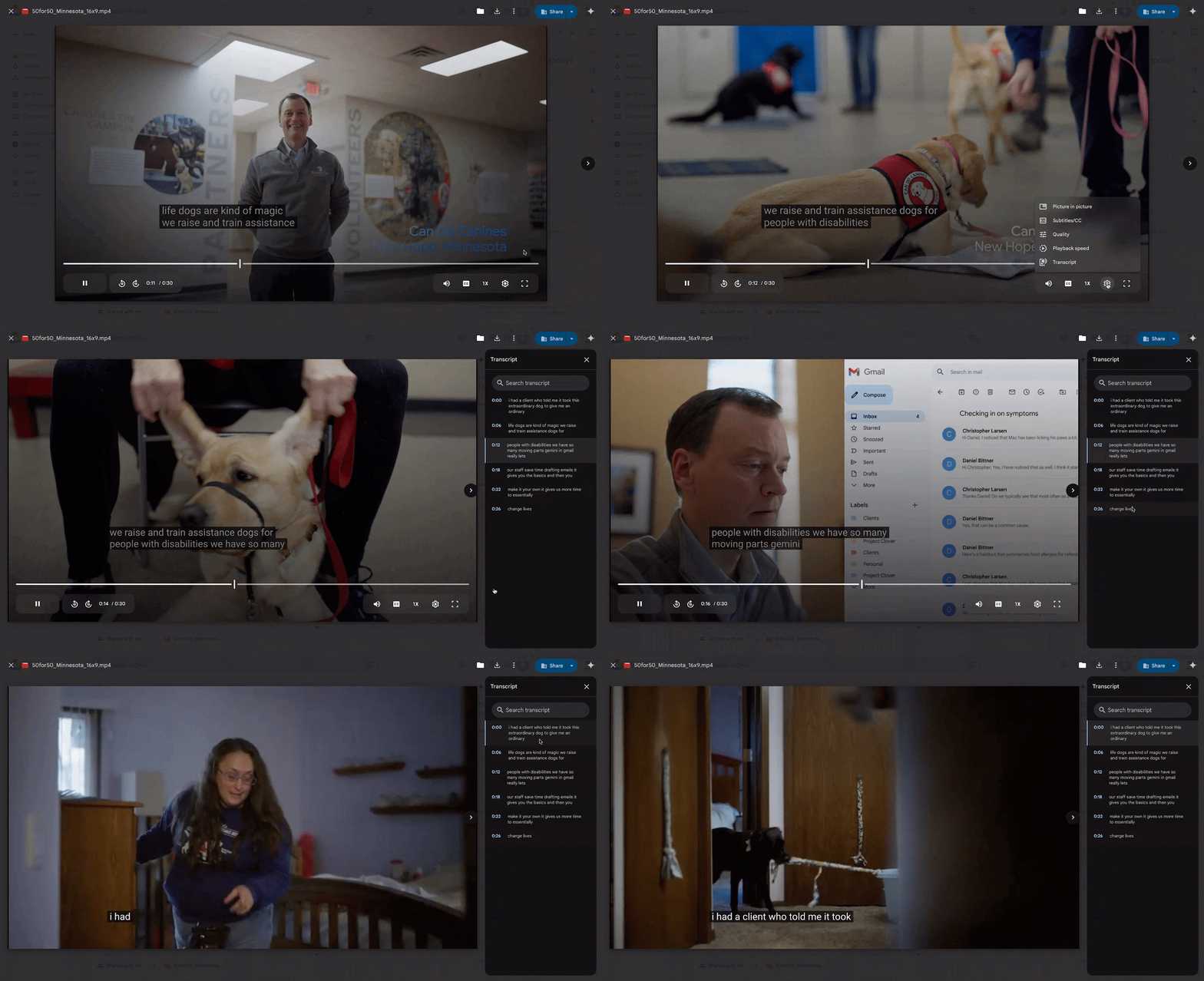
Gemini provides auto-generated summaries for files like PDFs and even uploaded videos, allowing you to quickly scan key information without opening a separate app and generate video transcripts that can be used as data sources for other content.
You can right-click a PDF and select "Summarize this File" to view a summary in the Gemini sidebar. If your Drive isn't configured to use Acrobat, a summary card will automatically generate when you open the file, containing highlights and suggested actions.
This builds on Gemini's existing ability to combine PDFs with other files, create new content like study guides, and search for specific content within the PDF. This replicates many of the paid features of Acrobat, potentially saving your business money on its tech stack.
You can also search through video transcripts, which look similar to the ones generated for YouTube videos. This feature is useful for pulling quotes or finding relevant video segments for presentations. To be able to do this, closed captions must be turned on for the video (via right-click -> Manage Caption Tracks -> Generate Automatic Captions).
Smart Search and Organization
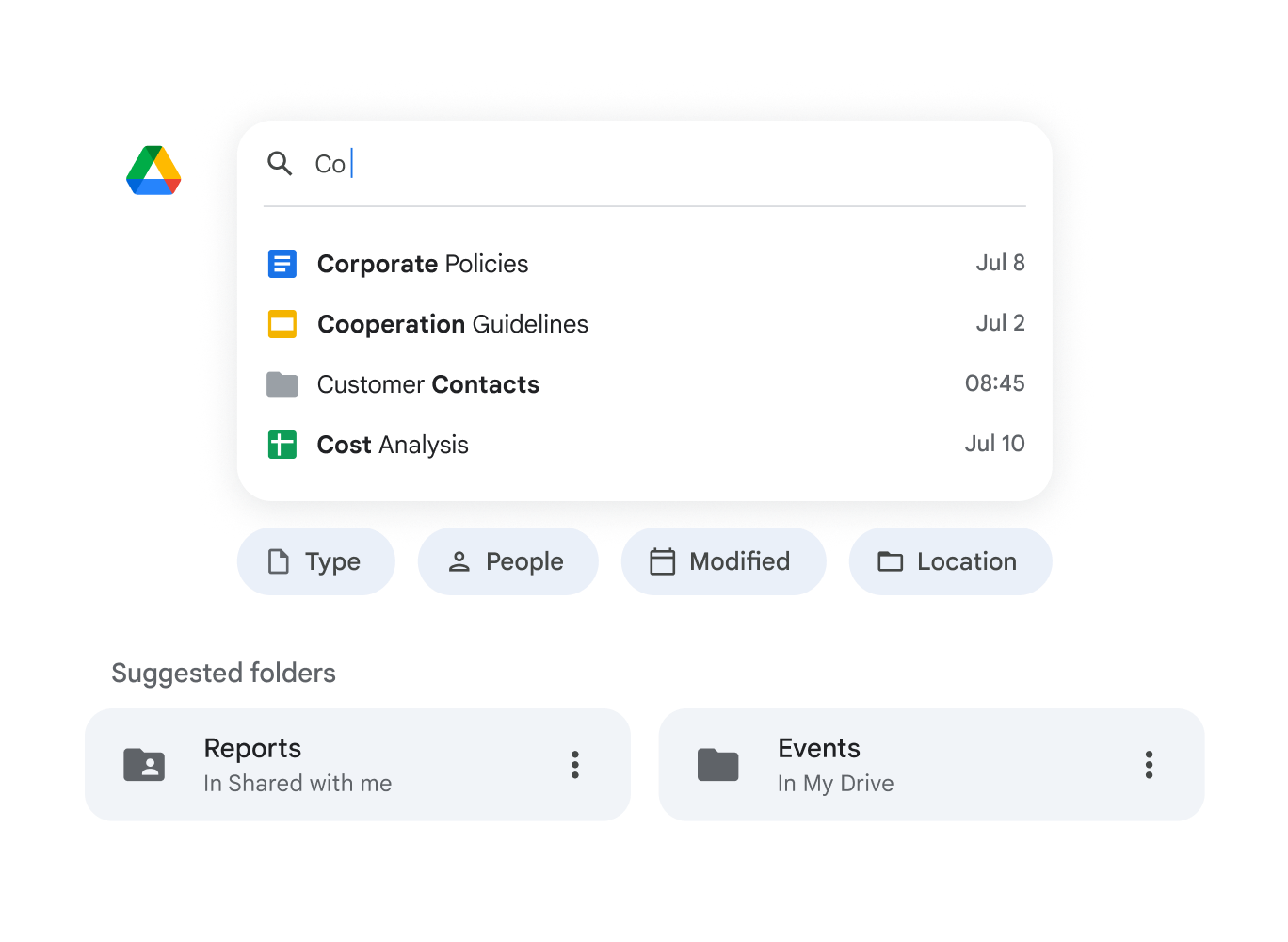
Over and above the new features, Gemini has made file retrieval faster with several improvements.
Instead of just scanning for filenames, Gemini helps you retrieve a specific fact when you don't recall the file's name or find all files that reference a particular search term. You can also select multiple documents or a folder to get a quick readout of key points, especially useful for areas with long documents like law or healthcare.
Gemini will also surface the most relevant documents and folders based on your work patterns, sometimes making it unnecessary to even search in the first place. When you want to do something like move a file, Drive reduces your clicks by suggesting the best place for it.
Boosting Creativity and Data Analysis
Gemini extends its generative and analytical power directly into your Drive folders. Need a visual for your creative files? You can now ask Drive to generate an image directly within a folder, saving you the step of opening another app. Want a high-level overview of files in a folder? Click “Explore With Gemini” to generate an AI summary that can help you get up to speed on a project before a meeting.
You can also access Workspace Studio from any folder in Drive, Google Workspace’s AI agent creator. You’ll get suggestions for what to do with Studio, from auto-adding Gmail attachments to a specific folder to automatically creating a list of tasks when an item is added to a folder. You can create specific templated tasks from the Studio sidebar in Drive, or expand to Workspace Studio for more complex AI agent creation.
Google Drive has always been one of the main reasons that our clients switch to Google Workspace. The new Gemini features that allow you to do everything from treating Drive like a secure intranet to creating AI agents without leaving Drive are definitely catching everyone’s attention. If you want to win the AI adoption race at your business, the choice is clear - you need Google Workspace. Contact us today to get started.
Contact Us to Learn More about Transforming Your Business