As businesses increasingly integrate AI into daily workflows, the need for good data governance has never been more critical. Google has recently addressed this by expanding the capabilities of Google Vault to include comprehensive support for the Gemini app.
This update represents a significant shift from simple search capabilities to full-scale information governance for AI interactions.
What is Google Vault?
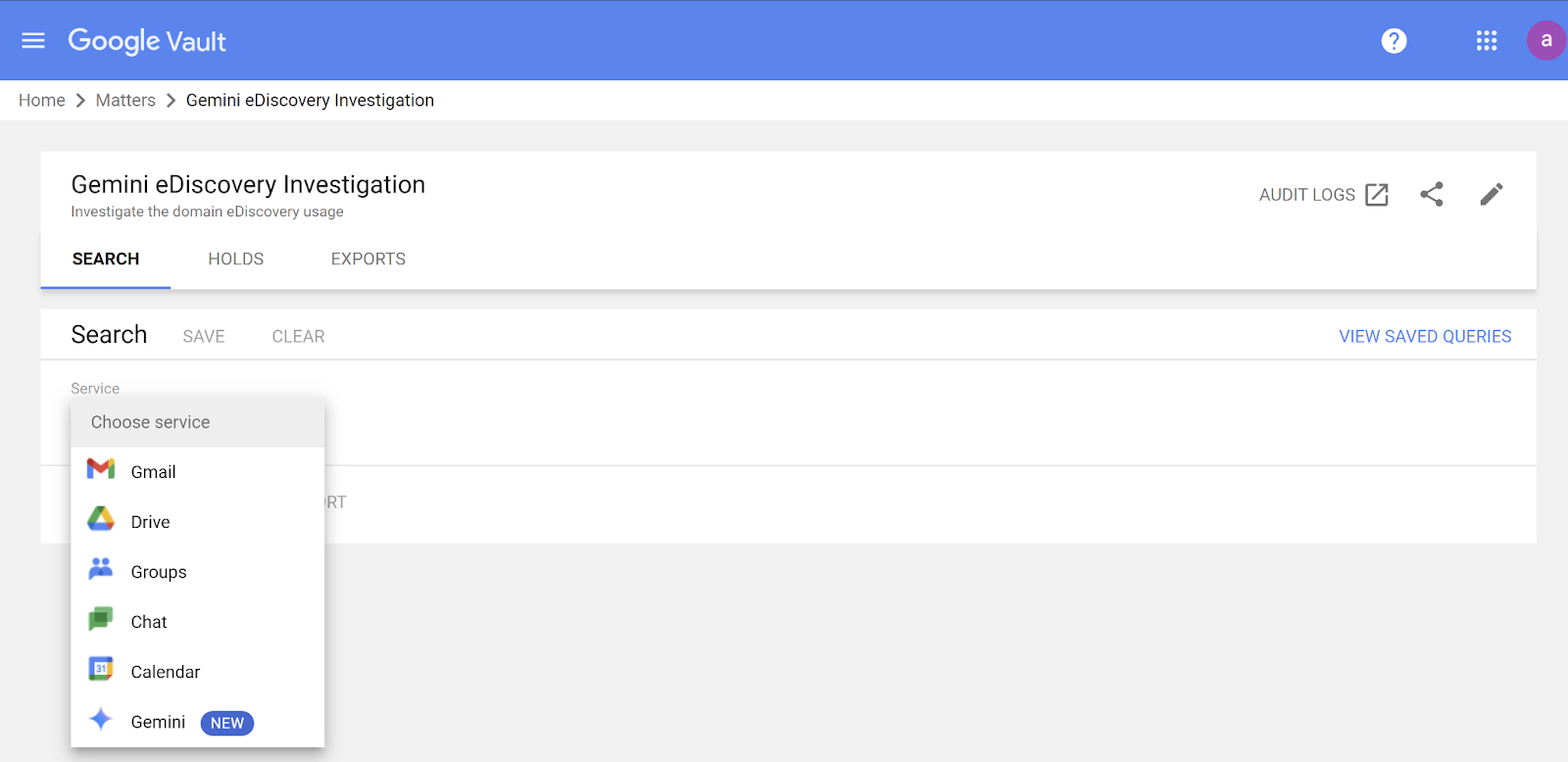
Google Vault is an eDiscovery and information governance tool. It serves as a centralized archive where organizations can retain, hold, search, and export user data from various Workspace services. If your business ever needs to pull data for regulatory or legal purposes, Google Vault is where you would start for all of your Google Workspace data.
Google Vault is indispensable for legal and compliance teams because it allows businesses to mitigate risk by ensuring digital records are stored properly and can be produced if needed for legal matters. It comes with all but the lowest tiers of business Google Workspace plans; you can find out if your company has it here and learn how to configure it.
New Update: Retention Rules and Litigation Holds
Previously, administrators could only use Google Vault to search and export Gemini app conversations. The latest update provides much better Gemini controls, including:
- Retention Rules: Administrators can now create, update, and delete default or custom retention rules. These can be set for finite or indefinite periods, ensuring that AI conversations are kept only as long as required by company policy.
- Litigation Holds: Organizations can now place litigation holds on Gemini app data for specific organizational units or designated users. This is vital for preserving evidence during legal disputes.
- Precedence over Deletion: Crucially, Vault retention rules and holds always take precedence over user activity settings. If a user deletes a conversation while an active hold is in place, the data remains fully retained and visible to administrators.
Key Limitations to Keep in Mind
While this is a major leap forward for compliance, there still some boundaries around Google Vault’s coverage of Gemini.
```html
Why This Matters for Your Business
By giving Google Vault more power to track and record Gemini use, Google is making it easier for enterprises to adopt AI without sacrificing their compliance posture. Administrators now have the same level of oversight for AI chats that they have for emails and files.
These updates are currently rolling out to Business Plus and Enterprise Standard Google Workspace editions. If your organization handles sensitive information or operates in a regulated industry, ensuring your Google Vault settings are updated for Gemini is a vital next step for your IT admins.
Have you never heard of Google Vault until today and want to switch it on? Do you have questions about using the full AI capabilities in Google Workspace? Contact UpCurve Cloud! We can help you demystify AI and get set up with the right tools for eDiscovery.
Contact Us to Learn More about Transforming Your Business