
Until now, Google’s simpler agentic AI came in the form of Gems. However, Gems are problematic in that they aren’t quite simple enough for the average user to create and deploy.
You can also create skills in Workspace studio for more complex agentic AI workflows, but the kind of person that will do that would also be using Gems. Long story short, Google’s AI agent pathways are powerful, but Google recognized that they may be too complex for the average non-techie.
Enter Gemini Spark. Finally, a personal AI agent that will do anything you want it to in Google Workspace without any setup.
Spark: Your No-Code, No-Fuss AI Agent for Google Workspace
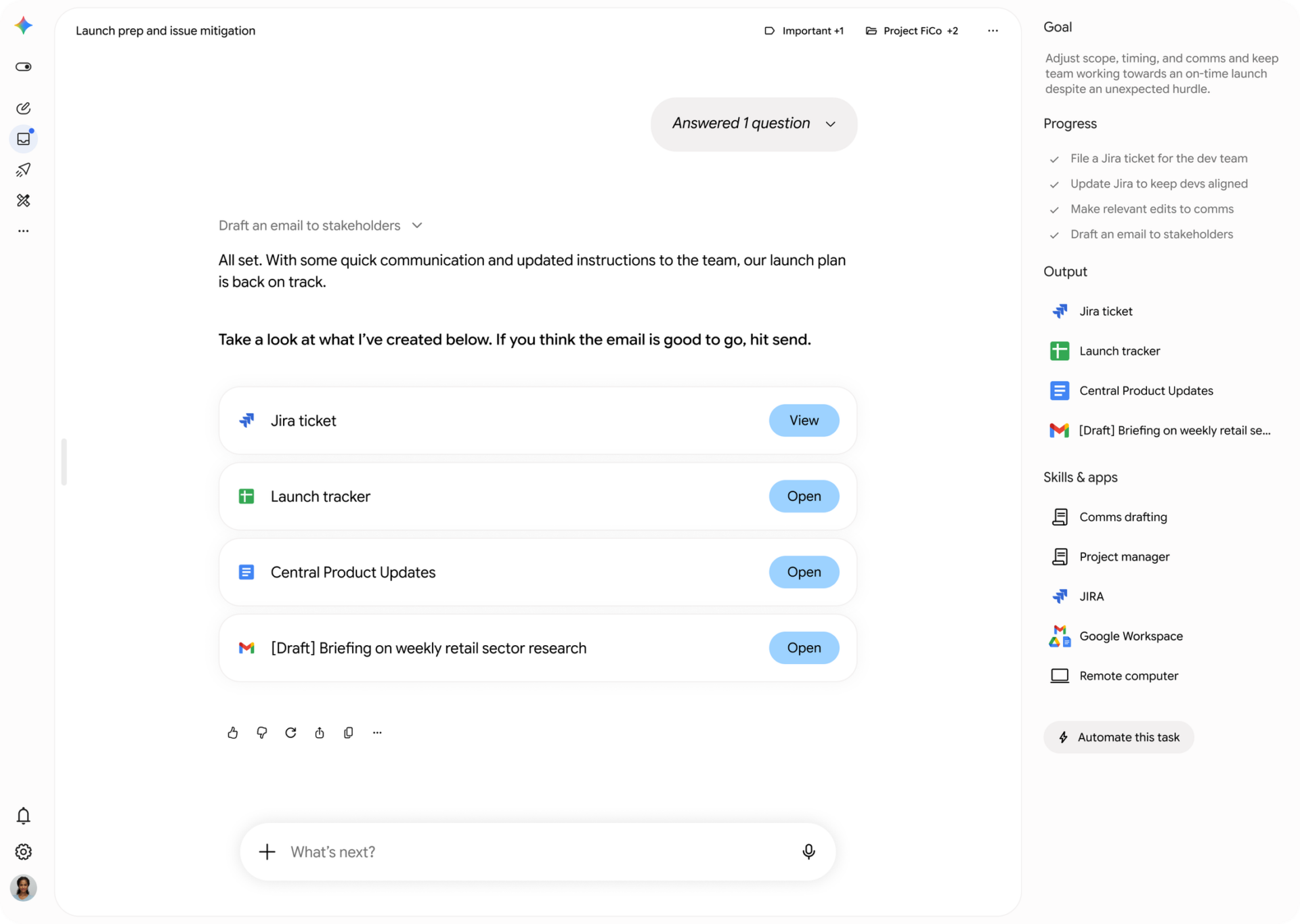
It understands your work, who you team up with, and even how you write. It can take on multi-step workflows, run them autonomously (with your permission), and free you up from the manual processes that slow you down, allowing your teams to focus on strategic innovation.
Spark is a 24/7 personal AI agent, working for you across Workspace, your custom connectors, and the internet. This means you can delegate everything. Set it up, teach it new skills, and watch Spark handle multi-step work for you.
You are always in control, since Spark keeps you updated and needs your explicit approval before doing anything risky, like sending an email. The more you use it, the better Spark gets at understanding your preferences, becoming a seamless extension of your work style. Plus, it connects to everything: Spark works with all your existing Gemini Enterprise connectors, including the big ones like Microsoft Sharepoint, OneDrive, and ServiceNow.
For security, everything is simplified. You get a fully managed, secure runtime on Google Cloud. Every task runs in its own isolated VM, ensuring your session data never overlaps. Google’s secure Agent Gateway enforces all your Data Loss Prevention (DLP) policies while keeping your credentials fully encrypted.
How Does it Work?
Instead of logging into Workspace Studio to set up a skill or the Gemini app to create a Gem, you’ll just be able to click on Spark and tell it what to do. As with all prompting, you’ll want to be precise. This is what it looks like when being asked to draft an email:
You can set recurring tasks, such as:
- Checking your email for any unanswered emails that look urgent every Friday morning
- Synthesizing all meeting notes about a particular project, picking out timelines and deliverables from the transcript, with new notes being added to the master summary after every project meeting
- Checking connected tools, such as Jira, for any urgent requests once per hour
When Can I Get Spark?
It is just in the testing phase right now, with no specific date set by Google for a general rollout to Workspace customers. We’ll keep you posted, since its actual launch will probably mean new features Google isn’t even talking about yet. You’re not alone in wanting this right away, and we’ll let you know the second it drops.
For now, you can still use agentic AI in Google Workspace with Gems and Workspace Studio.
If you aren’t on Google Workspace yet and want to move to the productivity suite with the latest in AI features, get in touch with us. We’ve managed user migrations from two people to hundreds, all seamlessly and without losing important data and file structure. Google Workspace is the only productivity solution with advanced, easy-to-use AI features, fulfilling the promise you made for AI adoption for everyone in your organization. Get it now!
Contact Us to Learn More about Transforming Your Business