
The way we create presentations has changed now that Gemini is an integral part of Google Workspace. You don’t have to spend hours hunting for pictures or turning long reports into bullet points by hand anymore. The new features in Google Slides help your team create professional, on-brand decks in way less time. Instead of giving yourself a couple of days to polish your deck, you only need a few hours - or less - with Gemini.
Transforming Your Work from Creating to Editing
Slides can start with your existing files. You can designate your latest slide deck to use as a template, and designate multiple source files. By using the "Create a slide based on @" command, you can pull content directly from your files. Gemini usually keeps things pretty short, but it’s a perfect starting point that you can build on.
If your team is starting a deck from scratch, Google’s templates are a big help. You can pick one when creating a new file and then use Gemini’s writing and design tools to make it your own.
Guided Presentation Creation
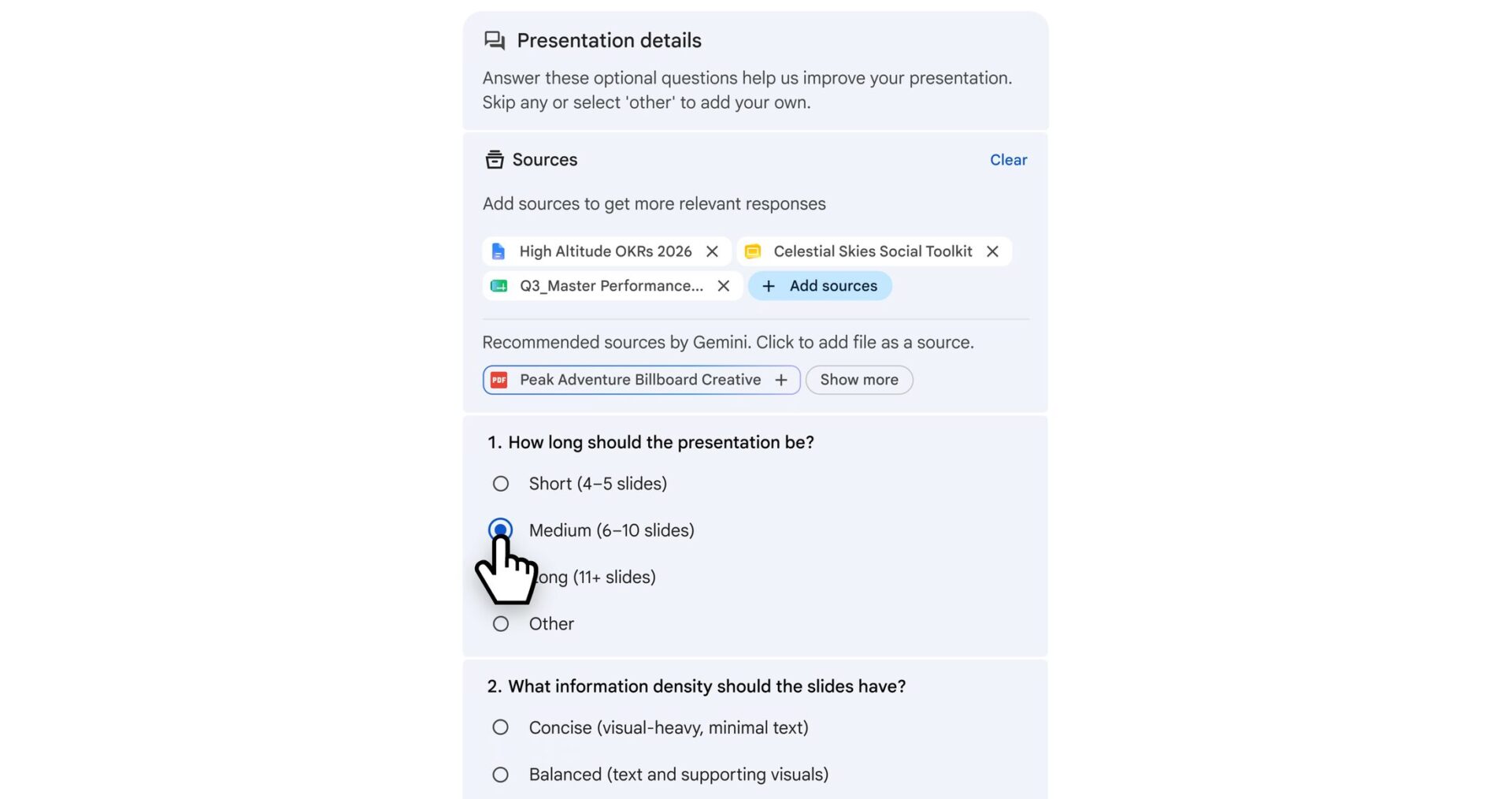
To get started, visit https://slides.new/ or open Google Slides and create a new deck. Slides will ask you what kind of tone, length, and other preferences you have while it is creating your presentation for you. From there, you can go back and edit anything you need to, or duplicate slides to add more information.
Better Visuals Paired With That Instant Creation
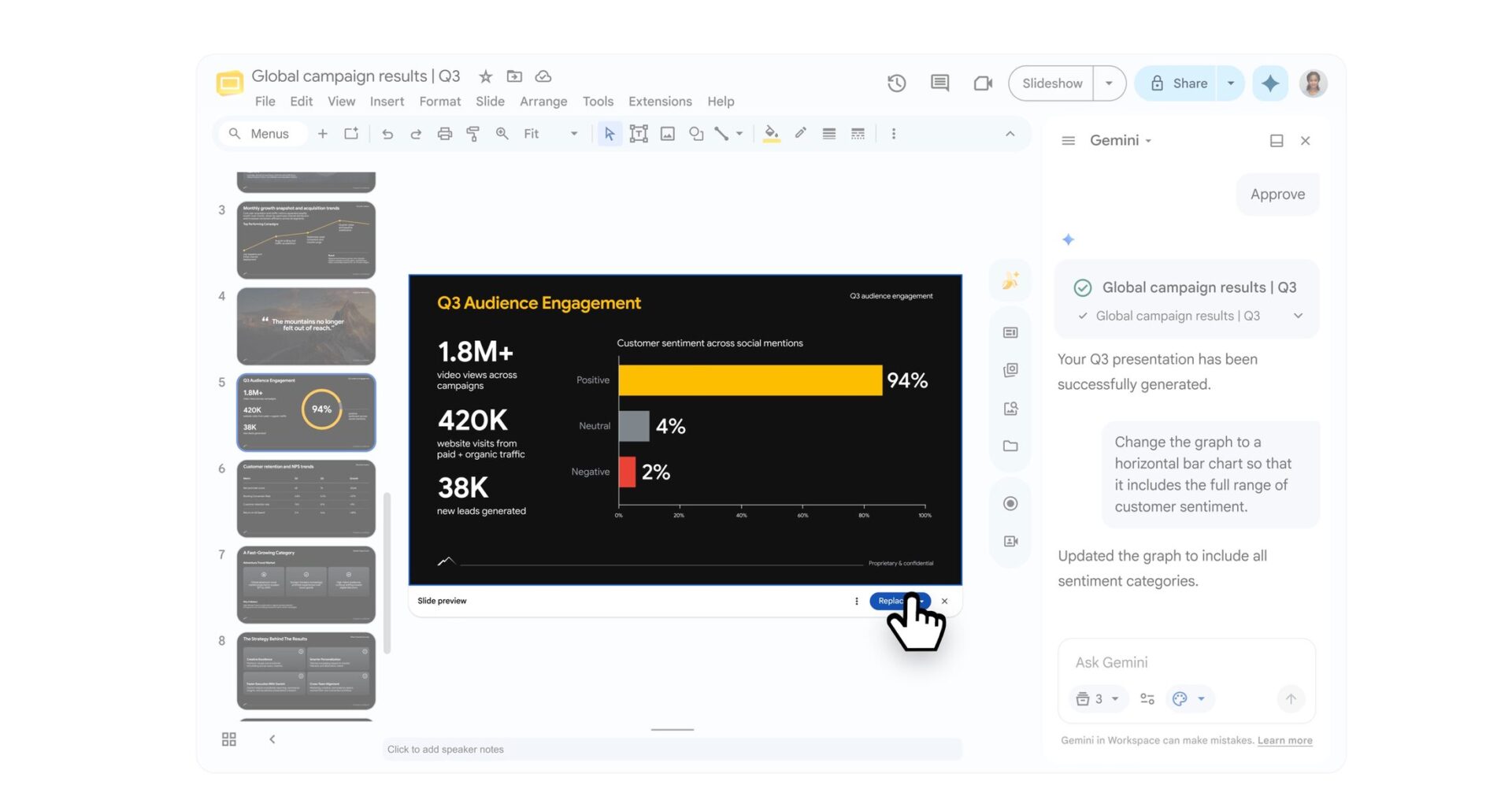
One of the best parts of the latest update is being able to create and edit visuals right inside Slides. Gemini can dream up images, diagrams, and even videos that fit exactly what’s on your slide.
You can ask Gemini to create specific images or tweak the ones it already made, like removing a background in one click. It does more than just pictures; it can also make complex charts and diagrams. If you give it specific details, like what percentages to use in a pie chart, it’ll build an accurate visual based on your slide text.
Creating a Video From Your Slide Deck
Google Workspace turns everyone into a multimedia pro with Google Vids, which you can find at vids.google.com. Once your slide deck is ready, you can ask Vids to make a professional video out of it and add cool animations, or use AI avatars. A video is far more engaging than a slide deck, and you can use it to really land your presentation.
UpCurve Cloud helps teams handle these changes and get the most out of Google Workspace’s powerful AI features and integration with much lower usage limits than comparable solutions.
Whether you’re switching platforms or just want to make sure your business is maximizing everything it gets with Google Workspace, we have the expertise to help you turn these tools into a real win for your business. Contact us today!
Contact Us to Learn More about Transforming Your Business