
Google Vids has been significantly upgraded with advanced avatar features, creation of longer videos, and the ability to create multiple videos at the same time. Some of these features may require you to get AI Expanded Access add-on licenses for your staff members if they'll be using these and other content creation features regularly.
Next-Generation AI Avatars
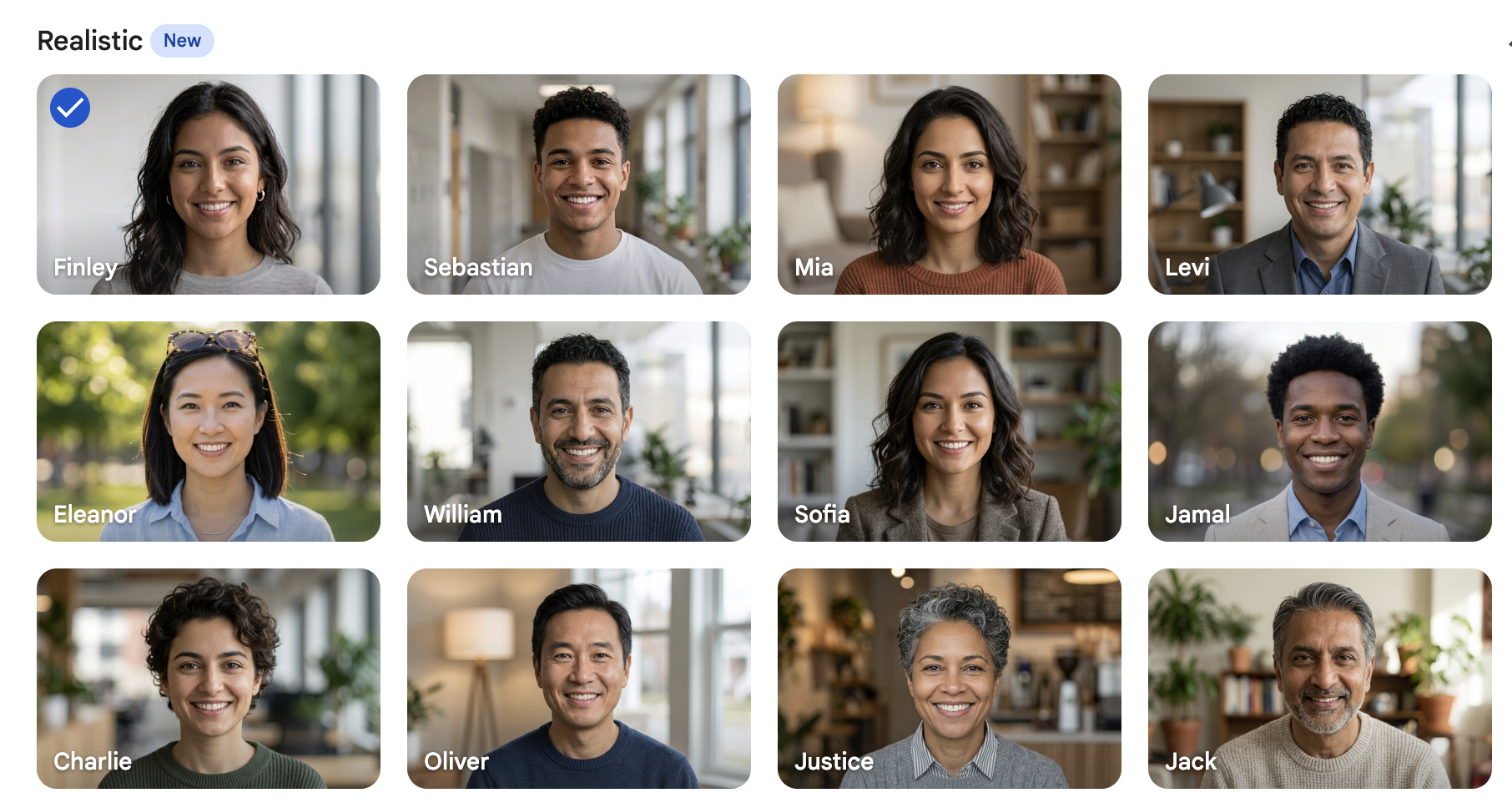
Have you been avoiding using AI avatars because of the “uncanny valley” unreal look that many of them have? You don’t have to anymore. Avatars have received a major upgrade in Vids, making them more dynamic and lifelike.
Whether you are using default presets or designing a customized spokesperson for your brand, Google Vids has unlocked entirely new levels of natural expression.
Expanded Preset Gallery
Google Vids has more than doubled its default avatar library from 23 to 53 presets. These avatars now span a variety of artistic styles, including photorealistic, 3D cartoon, and graphic novels.
Create an avatar with your own face & voice
This feature is one of the most highly-requested ones as it is currently available through most AI avatar video generation platforms. Starting July 14, you will be able to create an avatar using your own face and voice. If you’re subscribing to AI avatar video creation services, Google just gave you a good reason to trim your tech stack.
If you’re concerned about your privacy, your avatar is secured and walled within the perimeters of your own Google Account. Read more about how your personal avatar will be secured.
Highly Expressive Voices
Powered by Gemini Audio, the new avatars speak with a much higher degree of realism and conversational tone, shaking off the robotic feel of older AI text-to-speech generators. Mouth movement matches what is being said, and the actors move in the same natural way that a speaker would.
Global Language Support for 24 Languages
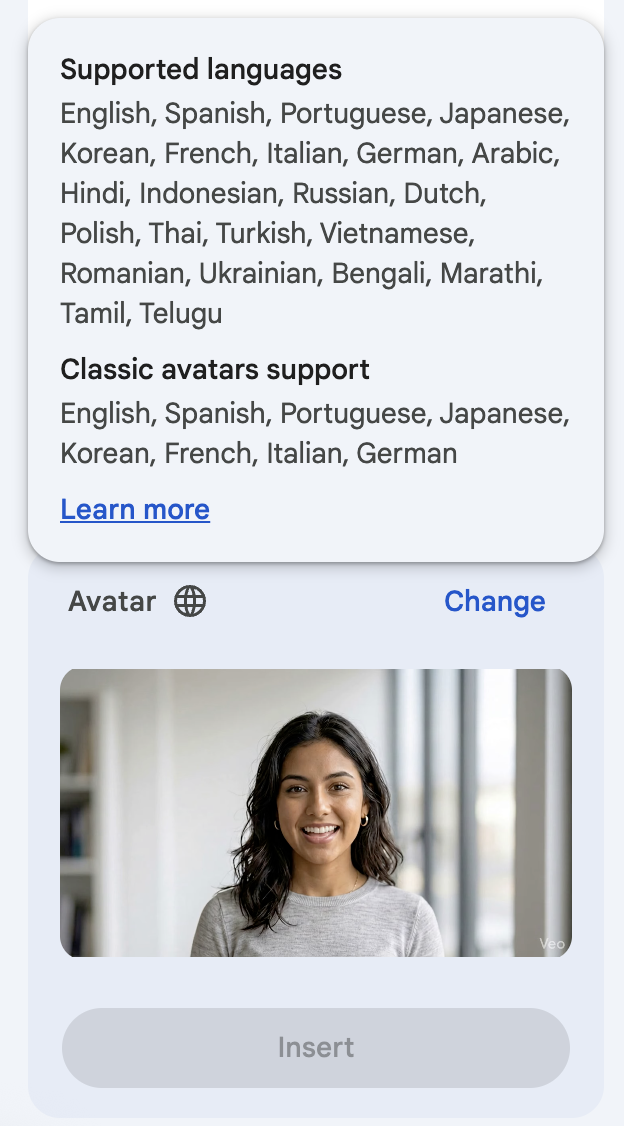
You can now reach a much wider audience. Google added 16 new languages to Vids, including HIndi, Ukrainian, and Arabic. These are in addition to the existing 8 languages (English, Spanish, Portuguese, Japanese, Korean, French, Italian, and German). Use it to expand internal training or create materials for new global clients.
Creating and Directing Custom Avatars
Previously, users were limited to directing default avatars, but the new update turns custom avatars into dynamic actors. You can now type a text prompt to instruct your custom avatar to take specific actions such as walking, talking, or interacting with objects, all from inside a generated video clip rather than having to start over with another video and prompt.
Design Avatars with Nano Banana Pro
You can design your own custom avatar using Nano Banana Pro and pair it with over 30 distinct voices powered by Gemini Audio, giving you total control over how your avatar speaks. If you choose to upgrade your AI access, you can also chop stock photos from your tech stack since you’ll be able to generate any image you could ever need.
Location and Branding Control
By uploading image references, you can place your custom avatar in tailored locations or with your company’s logos overlaying the video. Every video generation consistently preserves your avatar's appearance and voice, making it perfect for ongoing branded content.
Advanced Veo Video Generation
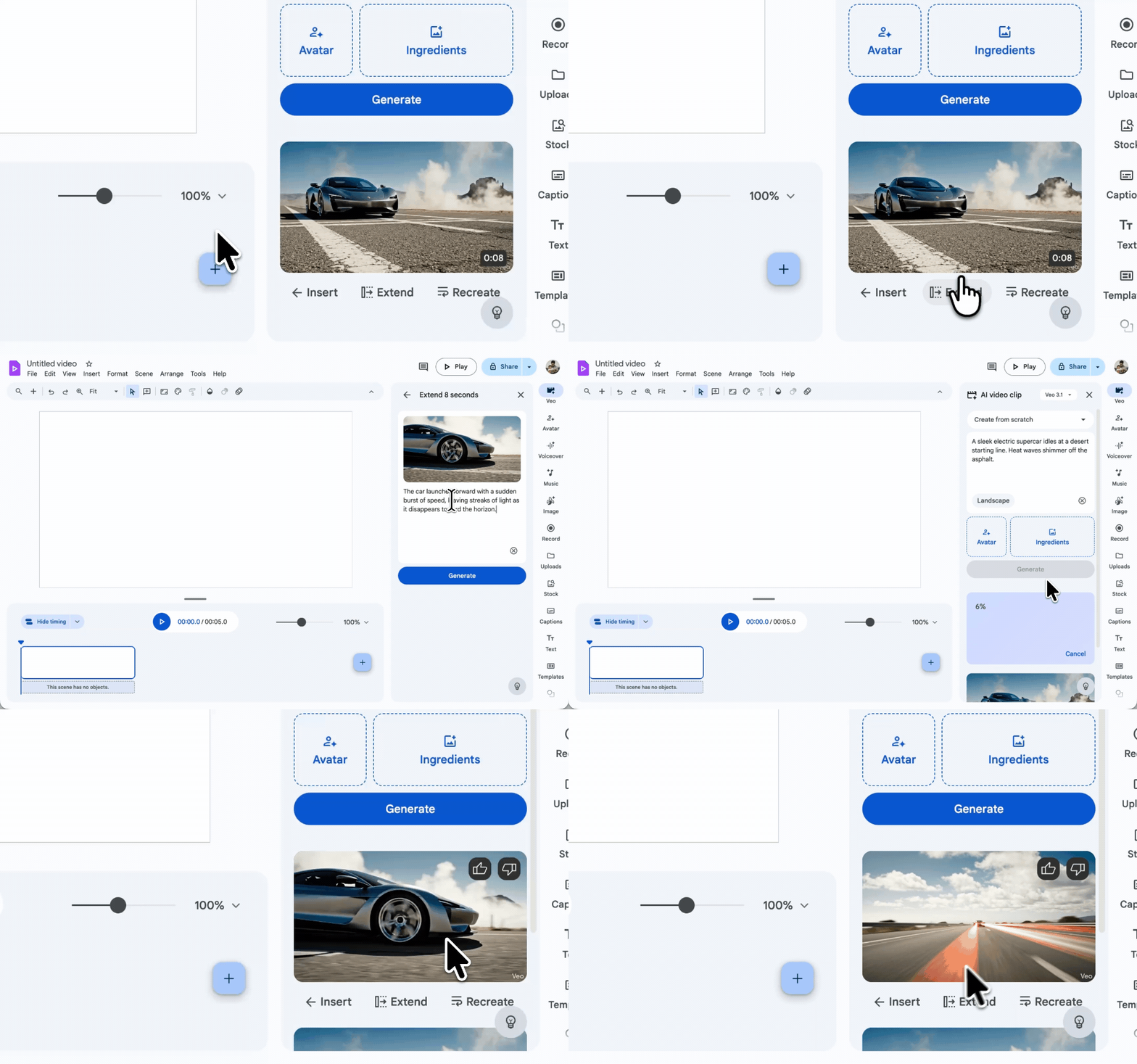
The integration of Veo 3.1 has transformed the scale at which you can produce video content within Google Vids, solving two major bottlenecks for creators: length and creation time.
Create Longer Video Sequences
You are no longer restricted to short, isolated clips. Using Veo, you can now seamlessly extend existing video clips. This allows you to build longer, more immersive content while maintaining perfect storytelling continuity and character consistency across multiple scenes. The introduction of this feature solves for a major limitation on the use of Google Vids, but it comes with the need to upgrade your AI access if you plan to use it often.
Generate Multiple Clips at the Same Time
Productivity gets a massive boost with the ability to kick off multiple video generation requests at the exact same time. If you want to experiment with different prompts, art styles, or scene directions, you can generate them all in parallel, compare the results side-by-side, and choose the best one without waiting for each clip to render sequentially.
This will save marketers time since they can start the video creation process for each video they need to do and come back to them all later once they are generated, rather than doing one at a time.
To do it, you have to select Veo when creating your videos; for the time being it won’t work with other right-side menu items, such as Avatars. Then, enter multiple prompts. You’ll be able to refine all of your prompts as usual even though you are creating multiple videos.
Rollout and Availability of New Google Vids Features
Both the avatar enhancements and Veo video updates have already rolled out. Admins and end users don’t need to turn anything on, the features will be available automatically. They will be widely available to most paid Google Workspace subscription tiers.
To try these features out, open a project in Google Vids. You can explore the new avatar presets and languages directly from your avatar insertion menu, or use the Veo prompt box to generate and extend video clips.
Do you want unlimited creative control with Google Vids and other content creation tools in Google Workspace? Consider the AI Expanded Access Add-On, which allows you to generate more videos, create more AI workflows, generate more images, and much more. It’s a small per-user charge that can just be purchased for your AI power users.
If you want these abilities unlocked for everyone in your organization, consider Gemini Enterprise, which offers the best of Google’s AI products to your business. We can also act as guides to let you know what you do - and do not - need. Contact us today to find out more.
Contact Us to Learn More about Transforming Your Business