
Google just released a host of AI enablements and other improvements to Google Workspace at Google Cloud Next ‘26. The running theme behind most is AI enablement, from accessible agentic AI to hyper-useful tuneups to Google’s everyday apps.
Technically, every single feature introduced will be useful for business users, but we’re honing in on the ones we think will matter most for everyday company use.
1) Workspace Intelligence
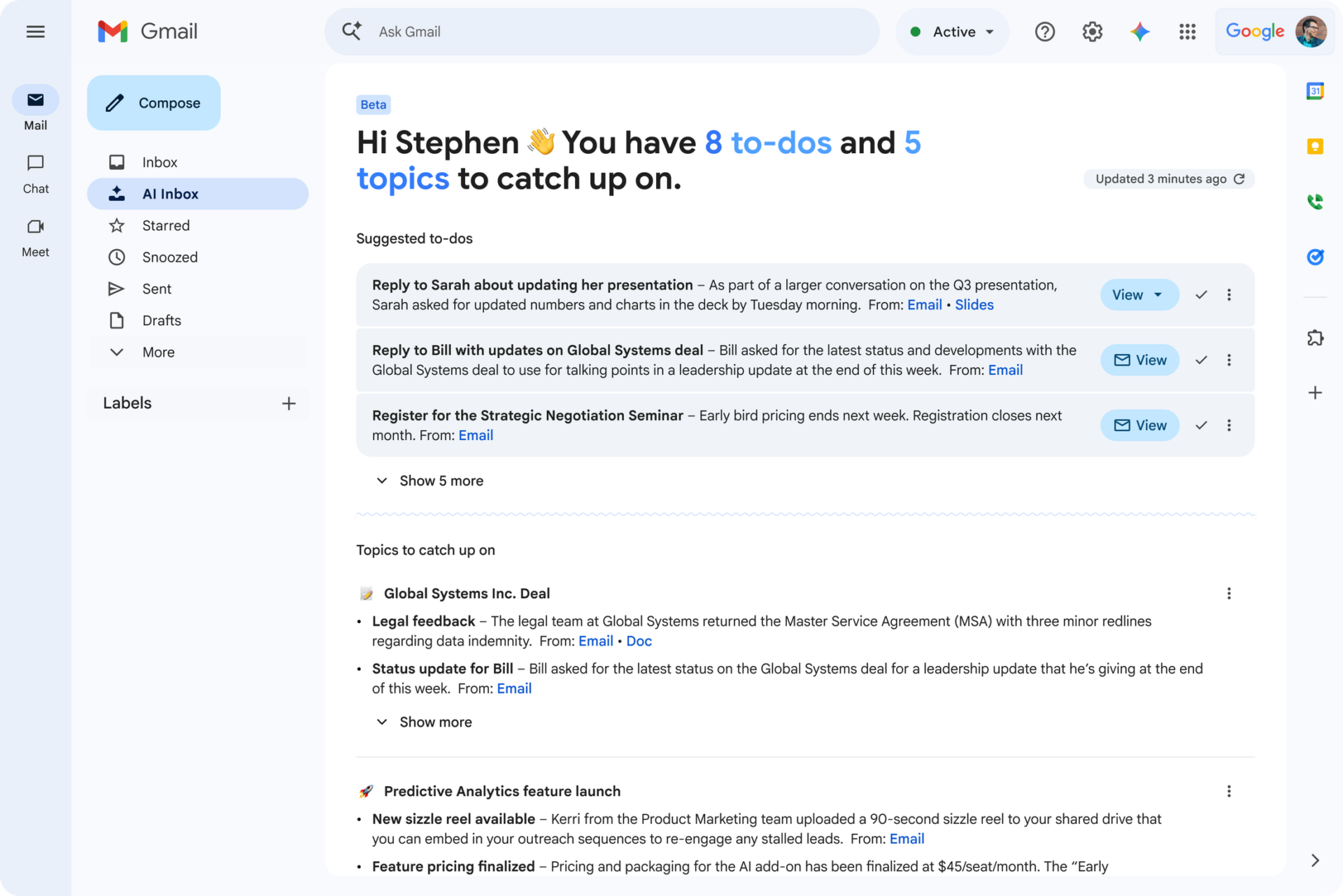
This was one of the biggest introductions. Workspace Intelligence is a “knowledge graph” that acts as a translator between Gemini, Google’s AI engine, and all of your files in Google Workspace. Instead of relying on simple prompts as it has done in the past, Gemini will now use Workspace Intelligence to offer more context and precise outputs when you prompt it to create something.
This can be a bit confusing because Gemini did this before, but it did so without an automatic parser between your files and what you were asking for. You would have to physically call on a source to have it used by Gemini. Now, with Workspace Intelligence, your files are automatically scanned for background data to find those sources you didn’t even know you had.
It can also bring in data from Salesforce, Asana, Hubspot, and Jira to aid in your workflow, give you an idea of what your day looks like just by asking in Google Chat, and more.
It’s also a convenient umbrella category for many of the intelligent AI features that Google has released in the past year, such as AI Overviews in Google Drive and Gmail. Now, these collective AI features are housed under the brand name umbrella of Workplace Intelligence. Essentially, it is agentic AI without you even knowing that you are using an agent, or needing to create one in the first place.
Read more about Workplace Intelligence on our blog, and download Google’s white paper here if you really want to take a deep dive.
2) Create AI Agents Easily With Skills in Workspace Studio
While Workspace Intelligence can help with everyday tasks and staying on top of your task stack, business users still need the ability to create AI agents that can automate repeatable tasks. Until now, this was best done with Gems, but that process was a bit confusing for non-tech types.
Google has done what it does best and made it easier with the introduction of Skills in Workspace Studio, its AI agent builder that comes with most editions of Google Workspace. This hasn’t rolled out yet to all users, but should be readily available in the next few months. If you open Studio, you will still have the ability to create Flows based on templates, which are still quite useful as AI agents to get notified of important emails, automatically add email file attachments to Google Drive, and more.
Google also recently introduced Skills in Chrome for everyone, but creating them in Workspace Studio gives you more options than creating them in Chrome.
3) Create Data Visualizations & Import Third-Party Data in Sheets
Gemini already helps you do almost anything in Google Sheets, including executing complex workflows without requiring manual formulas. Now, you can create stunning data visualizations in the new Sheets canvas and easily import data from third-party applications such as Hubspot and Salesforce. More importantly for some users, you can automate data entry with “Fill With Gemini.”
4) Google Docs: New AI Writing & Formatting Tools
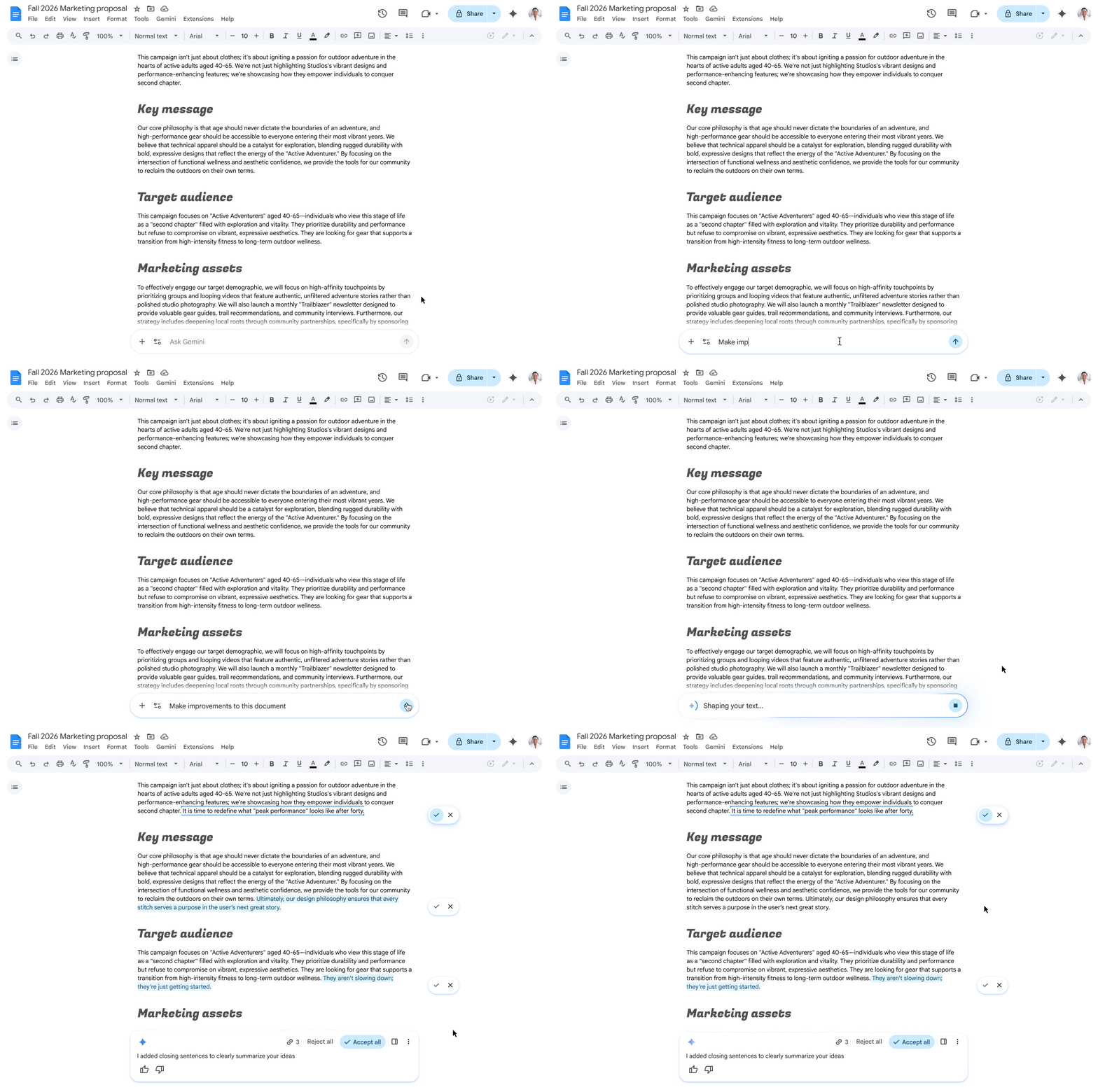
Google Docs now has two spots to access Gemini; the starburst at the top right and the starburst at the bottom middle of your screen. Both deliver an upgraded “Help Me Create” experience that creates better first drafts and can even match formatting from documents that you indicate you want used as templates.
First drafts created with Gemini will automatically be created with a Pageless format, but you can switch it back to the Pages format from the Format menu if you aren’t ready to fully embrace Pageless along with all of the other changes.
5) Real-Time Universal Translation on iOS
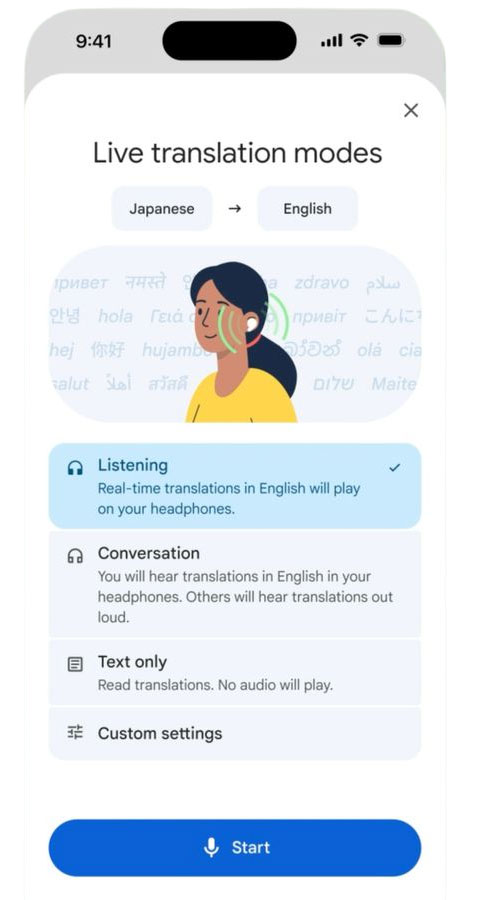
While desktop users of Google Meet and Android phone users have been enjoying real-time translation for a few months now, mobile users are getting real-time Google Translate on iOS. This is big news as Live Translate, Apple’s translation app, is limited to Airpods for iOS users. This makes taking calls from colleagues around the world much easier, and removes the need to only use Google Meet to get the benefits of simultaneous translation.
6) Use Avatars with Branding in Google Vids
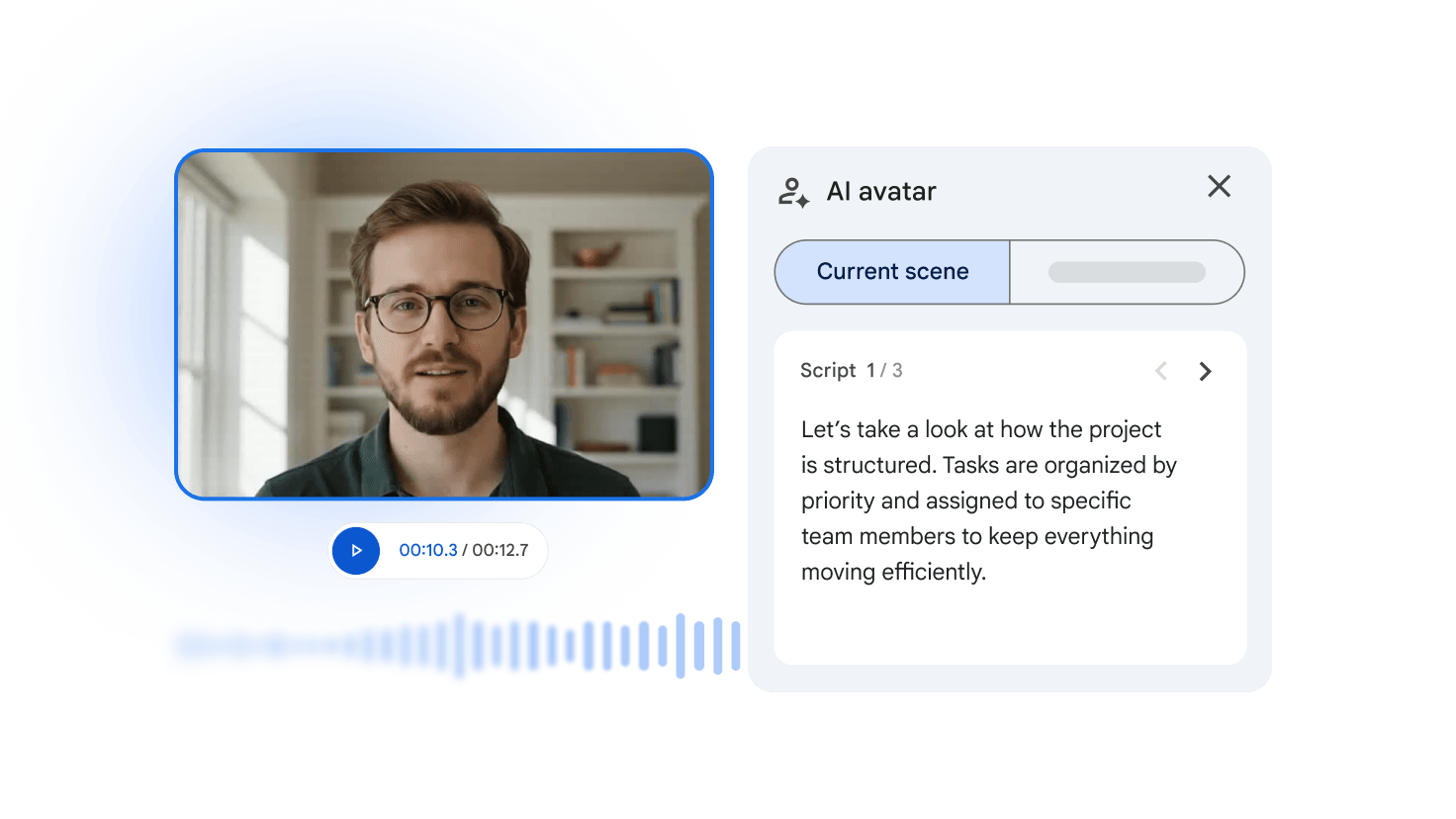
Building on December’s announcement of more realistic avatars, you will soon be able to use branded company backgrounds or avatars with logos on their clothing in Google Vids. They will also be soon available in 24 different languages.
7) Introducing Autobrowse Gemini in Chrome
Your web browsing will now be faster and smarter with Gemini. Calling on both the web and your secure internal data, you can use multi-step tasks to complete projects or research with more guidelines and confidence.
The security is enterprise-grade, so you’ll never be crossing the streams where you shouldn’t be with your company data. Give it a try today to see how it cuts down on your research time.
These are just a sample of all of the new things introduced at Google Next. We’ll continue covering them for you so you can decide what to adopt right now, and what you can learn later.
These updates signal Google's commitment to making Workspace the most AI-enabled and secure collaboration platform ever. For companies looking for deep AI integration, Google is the key to unlocking the next level of organizational efficiency. Contact us today to find out more about what you can do with Google Workspace and Google Cloud.
Contact Us to Learn More about Transforming Your Business