Custom AI prompts have transformed from novel productivity experiments into essential components of daily workflows. However, Google is executing a foundational pivot in its AI architecture, moving away from standalone, isolated prompt containers (Gems) and toward a modular system, Skills, across Google Workspace and the standalone Gemini app.
Google is now phasing out Gems since Skills replace them as a set of reusable custom instructions designed to guide Gemini across a wide array of tasks. If you haven’t been using Gems, don’t worry; the learning curve for Skills isn’t that steep. If you have been using Gems, they are easy to turn into Skills.
How to Use Skills
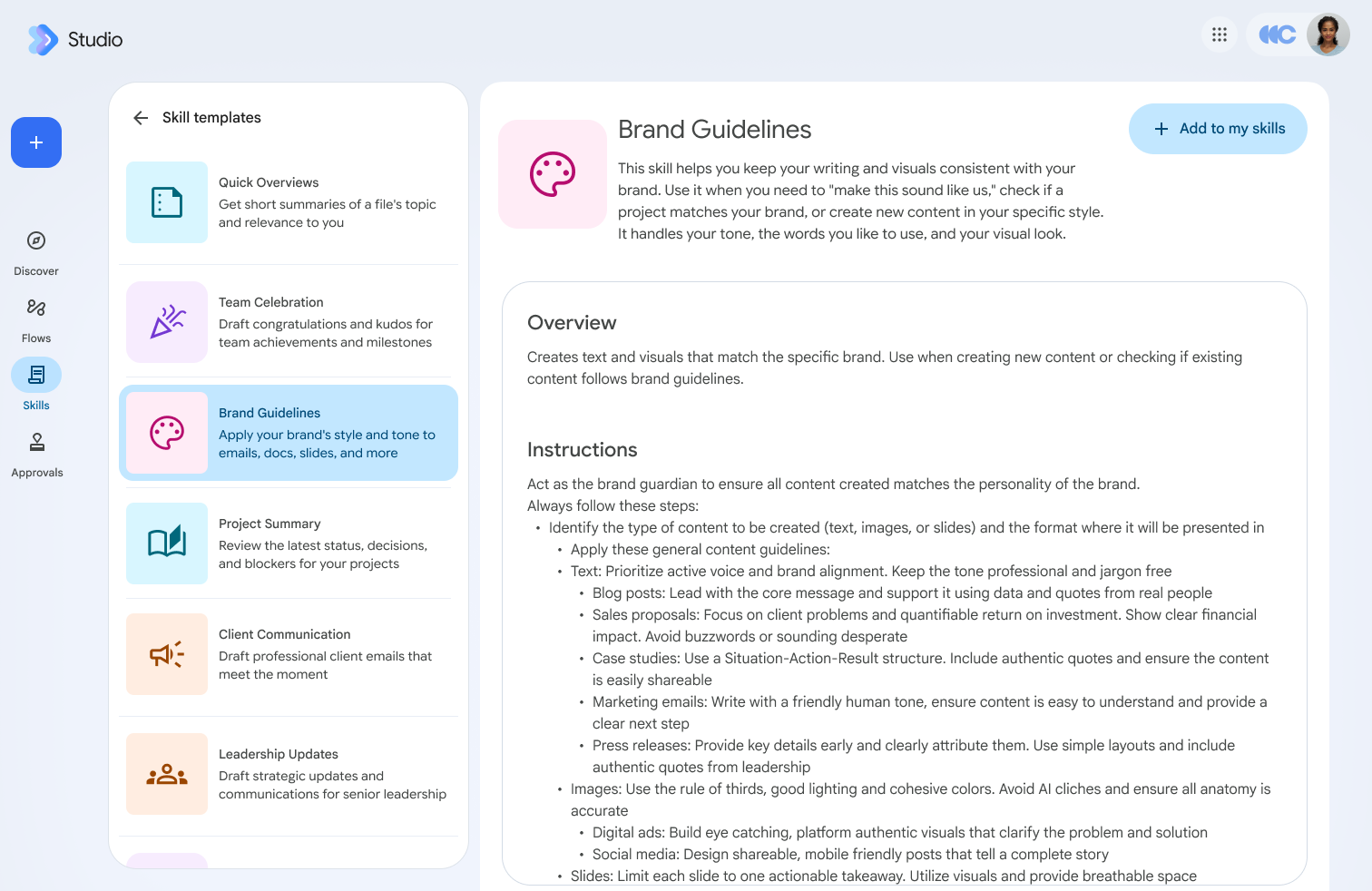
We wrote this guide when Skills first rolled out, but now that Skills have a wider release, there are a couple of changes. You can call any skill that you’ve created with the @ symbol and the name of the skill from any app in Google Workspace. However, you still cannot call skills created in Google Workspace from directly within the app at gemini.google.com. Hopefully this is something that Google has on their list of changes.
You can also create skills in the Gemini app. If you have any skills you’ll be using every day, we recommend creating them in both channels to make sure your workflow is smooth.
Stacking Skills: Combining Custom Prompts For Repeatable Tasks
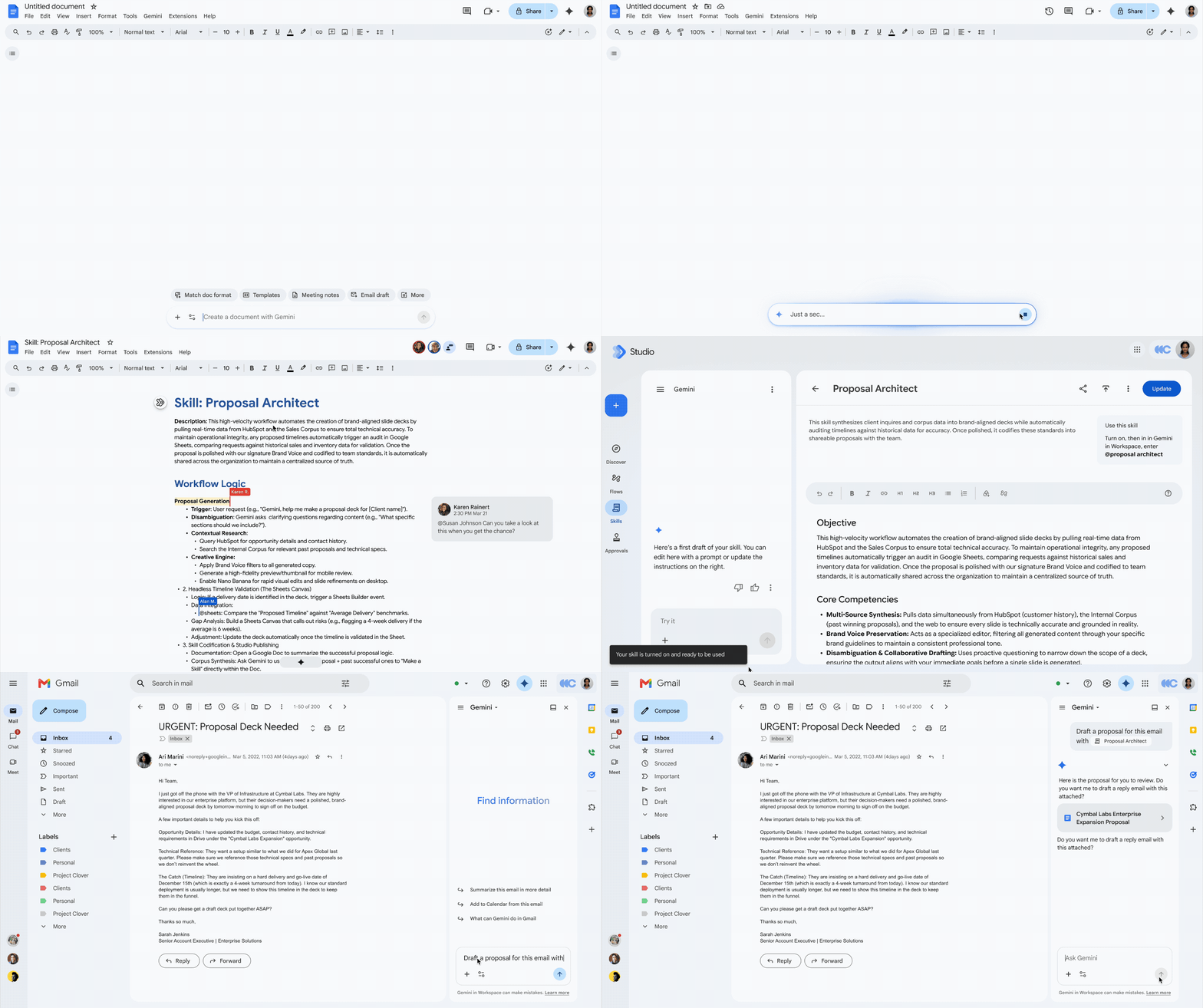
The fundamental difference between Gems and Skills lies in execution architecture. Gems operated as individual siloed bots. To use a Gem, you had to leave your active conversation or workflow, enter that specific Gem's dedicated interface, and run your query in isolation. This context switching forced users to fragment workflows across separate chatbot sessions; not ideal for getting things done.
In contrast, Skills operate directly inline within unified chat threads. This shift unlocks "skill stacking", which is the ability to layer or chain multiple distinct sets of custom instructions simultaneously within a single prompt from any Gemini app window in Google Workspace.
Real World Use Cases for Skills Stacks
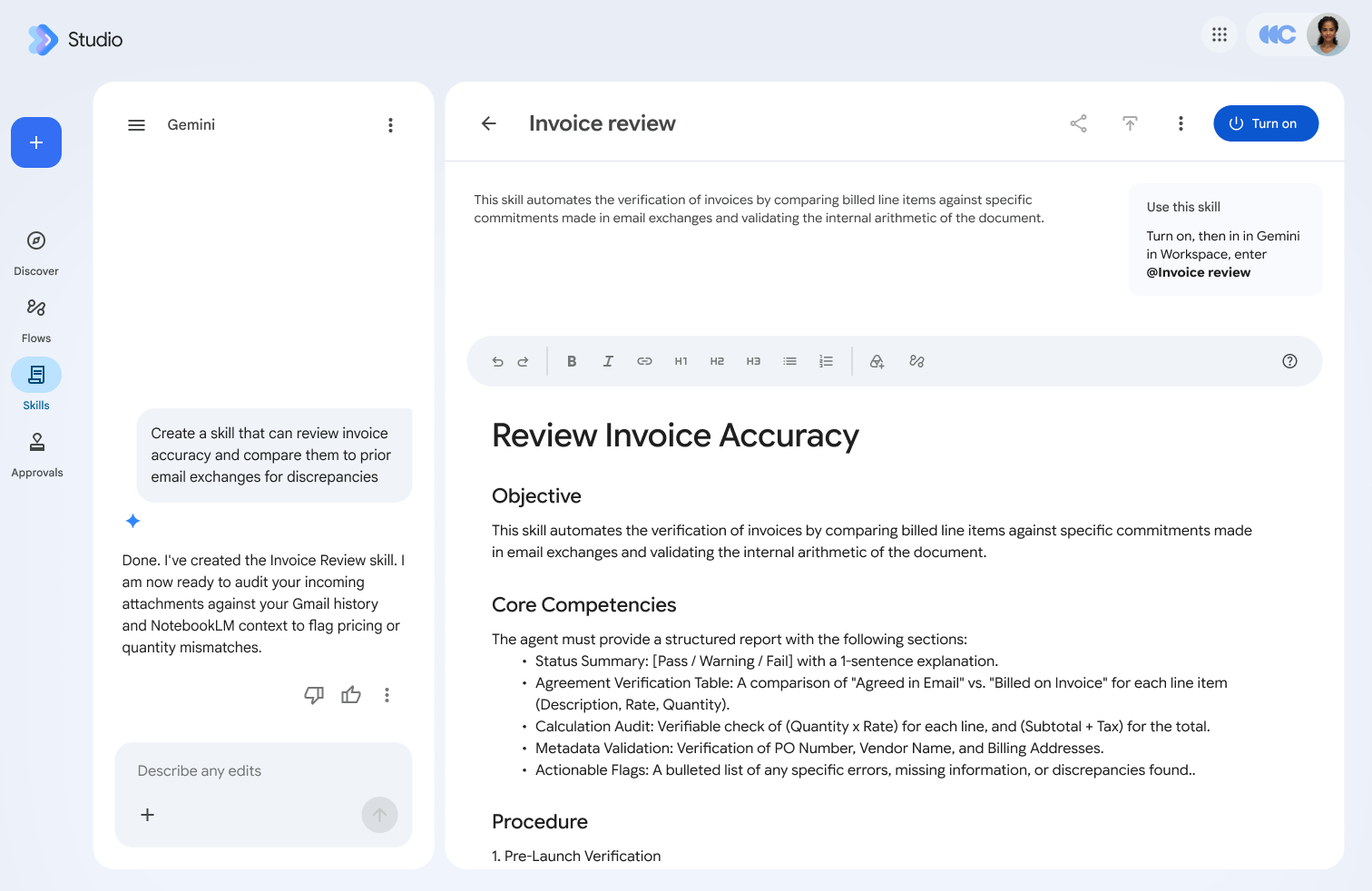
This unlocks things like the following:
A marketer can combine a "weekly newsletter" skill with an "institutional brand guidelines" skill in the same prompt to instantly draft parent communications that are perfectly structured and strictly compliant with district messaging standards.
A procurement manager can pair a "vendor evaluator" skill with an "executive email drafter" skill to analyze complex third-party proposals and synthesize an executive summary recommendation in a single, uninterrupted step.
A sales manager filling out an RFP can use a “standard RFP guideline” skill paired with a “x industry skill” which brings in industry-specfic data.
By shifting from isolated chatbot containers (Gams) to stackable inline instructions (Skills), Google is transforming custom prompts into modular building blocks. This lets everyone get into the flow without breaking creative or analytical focus.
Open Standards: Skills Are Built on Markdown
In a significant departure from proprietary, platform-locked prompt configurations, skills are engineered entirely on the open, Markdown-native SKILL.md standard.
Because skills are defined in standard Markdown text, prompt structures become instantly portable. Users can draft, refine, and store instructional logic in local text editors or external tools, then paste those definitions directly into the Gemini app or Google Workspace tools without conversion.
From an enterprise strategy perspective, adopting an open standard has two critical advantages:
- 1. Vendor Lock-in Mitigation: Organizations are no longer bound to proprietary UI builders. Your customized operational knowledge remains readable, portable text.
- 2. Enterprise Version Control: Development and operations teams can maintain, audit, and version-control their organizational prompt libraries using standard Git repositories or Markdown documentation hubs, elevating prompt engineering into a scalable software artifact.
For non-technical people, this means that you can easily migrate Skills from Google to anywhere else you may need to use them.
No Auto-Sync Between Gemini and Workspace
Despite existing under the same product umbrella, skills created in the standalone Gemini app do not automatically sync to Google Workspace tools (such as Google Docs or Workspace Studio).
If you build and refine a custom skill inside the Gemini app, that skill will remain confined to the standalone Gemini interface. If you want to utilize those exact same instructions while drafting inside Google Docs or configuring an automated flow in Workspace Studio, you must explicitly re-create the skill within the Workspace environment.
Key Operational Takeaway for Teams:
- Gemini App Skills: Built for consumer/standalone chat interactions; managed individually by end users.
- Workspace Skills: Built for document-native generation and workflow automation; governed by Workspace admin policies.
- Manual Bridge Required: Teams must manually duplicate critical skills across both environments to maintain consistent AI behavior across standalone chat and document workflows.
Administrators and operational leads must account for this during rollout. Unaware teams risk fragmented workflows and lost productivity assuming their skills will follow them seamlessly across all Google surfaces.
What Happens to Existing Gems?
Google is completely retiring Gems across all surfaces in favor of skills. However, the deprecation follows a phased timeline rather than an immediate shutdown.
Immediate Workspace Studio Restriction: Effective immediately, users can no longer create new Workspace Studio flows using the "Ask a Gem" step. Existing flows that already rely on "Ask a Gem" steps will continue to run for now, but new automated builds must prepare for skills integration.
Full Gems Sunset Schedule for Business Users:
- November 17, 2026: Gems will move to the Settings panel of the Gemini app. During this phase, users can still access, edit, create, and run their existing Gems.
- No sooner than March 1, 2027 (Business & Enterprise Users): Gems can no longer be created, edited, or used, and will be permanently removed from the Gemini app Settings panel. Workspace Studio flows utilizing the "Ask a Gem" step will stop functioning entirely. Any remaining Gems in the Gemini app will be automatically migrated into draft skills within the Gemini app..
Don’t rely on automatic draft migration at the deadline. Teams should audit their high-value Gems now and manually recreate them as native skills in both the Gemini app and Workspace. Don’t forget to share them with your team as we instruct in our guide.
Age & License Restrictions
Access policies vary drastically based on the surface hosting the skill:
- Gemini App Skills: Available to users of all ages, covering both paid Google Workspace accounts and free personal Google accounts.
- Workspace Skills: Strictly restricted to users over age 18. Plan availability includes Business (Starter, Standard, Plus), Enterprise (Starter, Standard, Plus), Google AI Pro for Education, and AI Expanded Access add-ons.
IT administrators and educational leaders must pay close attention to user license tiers and age flags. Secondary educational institutions, in particular, must note that student accounts under 18 will not have access to Workspace skills, necessitating alternative instructional setups like Gemini Notebook. Skills also have a slightly delayed rollout in some editions of Google Workspace and the Gemini app.
The evolution from Gems to Skills represents a shift toward open, composable, and people-friendly AI customization. Moving away from isolated chatbots to inline, stackable instruction sets allows everyday users to build sophisticated, multi-stage workflows easily without any coding or advanced prompting knowledge.
As Skills arrive in your environment, take time to audit your team's repetitive tasks and really supercharge productivity the way you expect to with AI.
If you need to expand your organization’s AI usage, or you want to learn more about Google Workspace, get in touch. We’ll manage your migration by keeping your data intact and your business up and running.
Contact Us to Learn More about Transforming Your Business