
Google Chrome is transforming the experience of web browsing with the integration of Gemini 3, which gives you access to an advanced AI agent. This update introduces powerful features, including the "auto browse" tool, designed to handle complex, multi-step tasks on the user's behalf. This builds on the already existing capabilities of using Gemini in Chrome.
How to Use Gemini in Chrome
Click “Ask Gemini” in the top right hand corner, and Gemini Live will open in a side panel. It can help you parse the important information in an article you’re reading, find more contextual information, or anything else you need while you’re there.
This side panel allows users to multitask by doing things like summarizing reviews or comparing options without having to leave their current tab. Chrome is deepening integration with Google Apps like Gmail and Calendar to streamline complex workflows, such as organizing travel logistics.
You will also see a "Personal Intelligence" feature in the coming months, which will tailor assistance by remembering context from past conversations. For creative tasks, the side panel also leverages the power of "Nano Banana" to enable users to transform images and create infographics directly on the web.
The side panel is available to most Chrome users right now, with Personal Intelligence rolling out soon.
Upgrade Your Browsing With Agentic AI: Auto-Browse
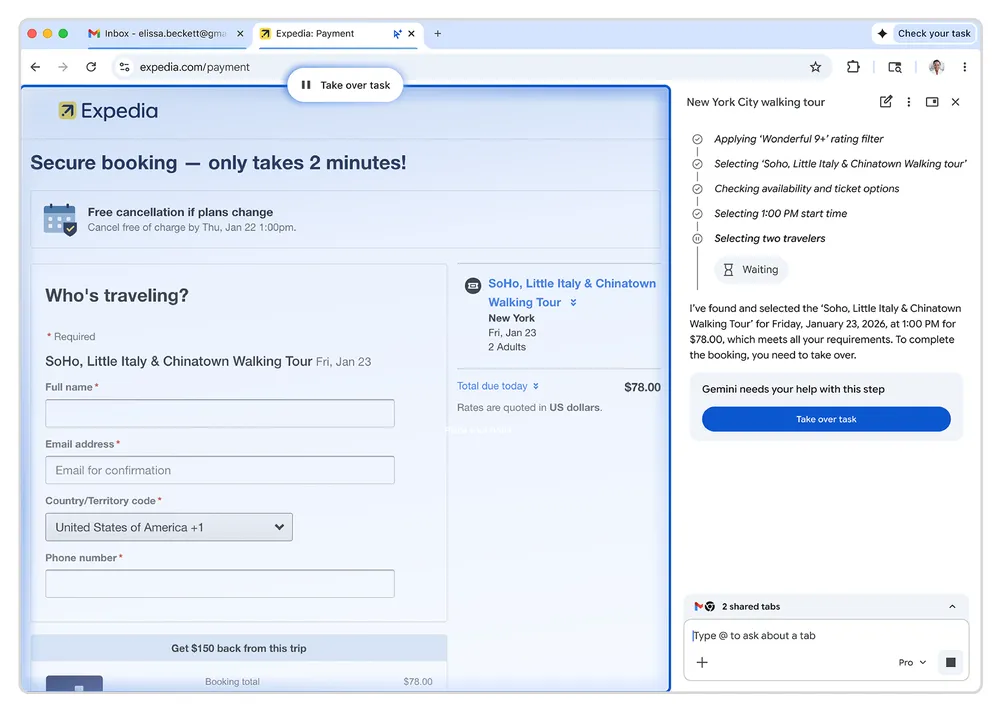
Auto-browse provides an agentic experience, automating chores such as researching travel costs, scheduling appointments, and even identifying items in a photo to add them to a shopping cart. Now, you don’t even need to open Calendar to schedule a meeting; auto-browse will do it for you.
This feature is currently available as a preview for Google Workspace users in the United States.
Crack Down on Unsanctioned AI Use With Chrome Enterprise Premium
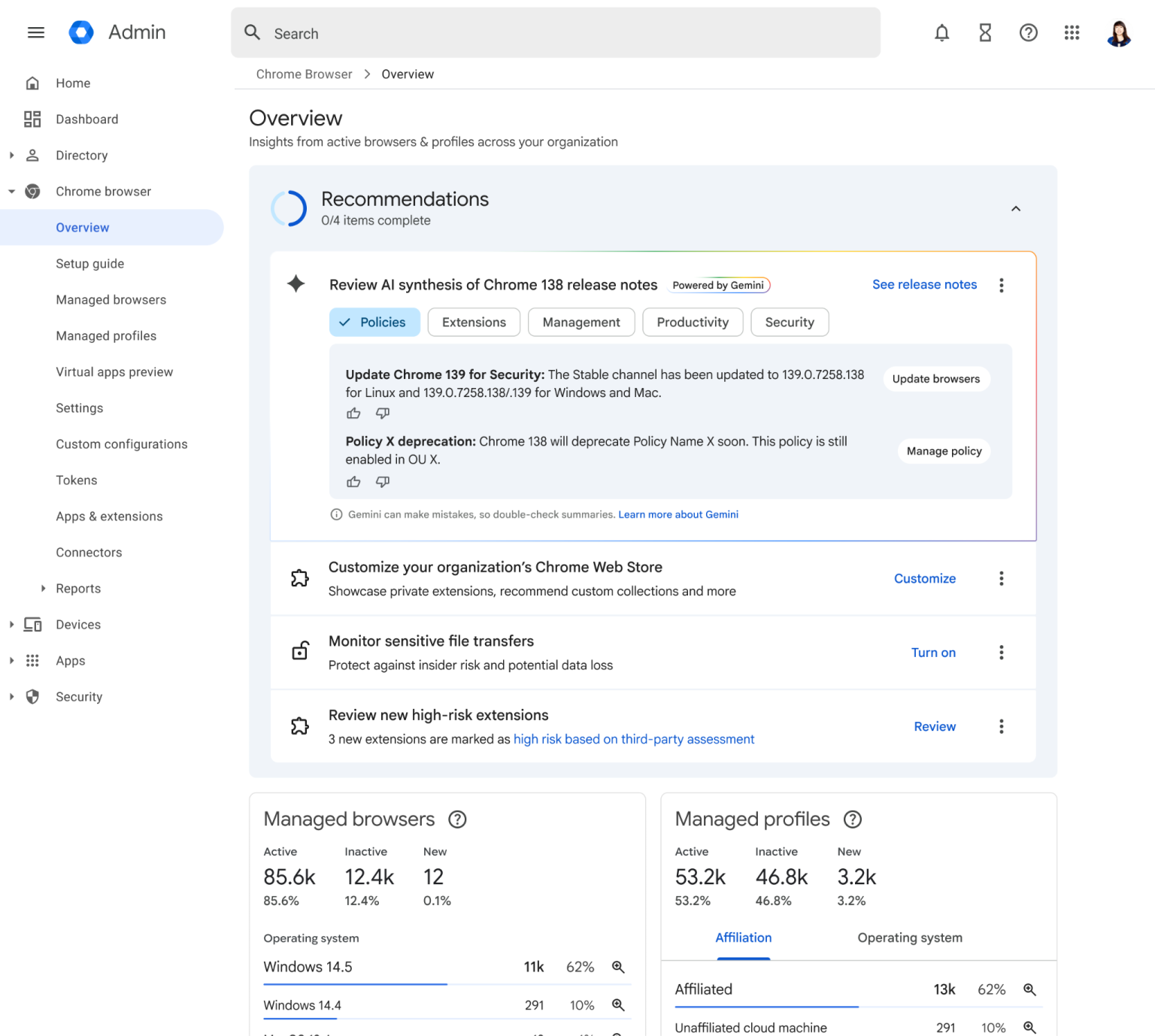
Security remains paramount with auto-browse and the other new Chrome Gemini features; the AI is programmed to pause and ask for explicit user confirmation before completing sensitive actions like making purchases, even if it has the passwords needed to do so. To support agentic commerce features, Chrome is adopting the Universal Commerce Protocol (UCP), an open standard developed in collaboration with industry leaders like Shopify and Etsy.
If you want to take security a step further, Chrome Enterprise Premium will crack down on unsanctioned AI use, take immediate steps if security alerts are triggered, store files and incidents for investigation, and much more. The new feature to detect AI use, Shadow IT Risk Detection, will not just allow IT to detect risks, but will allow organizations to monitor sanctioned AI use in their businesses.
Google has built a reputation for ease of use, so don’t worry, the user experience will not change overnight at your business. The new features will be easy to access within Chrome, but won’t interfere with the seamless web browsing experience everyone is used to.
Would you like to get a top-down view of all AI use at your organization? Get in touch with us today for a demonstration of how Chrome Enterprise Premium can exponentially increase security and improve your AI adoption reporting.
Contact Us to Learn More about Transforming Your Business